Cache Memory
Back in the early days of computing, CPUs were relatively slow, and memory access times were even slower. As technology evolved, the gap between CPU speed and memory access widened, leading to performance bottlenecks. Enter cache memory—a small but mighty component that has been quietly revolutionizing PC performance for decades.

By Elena Petrova
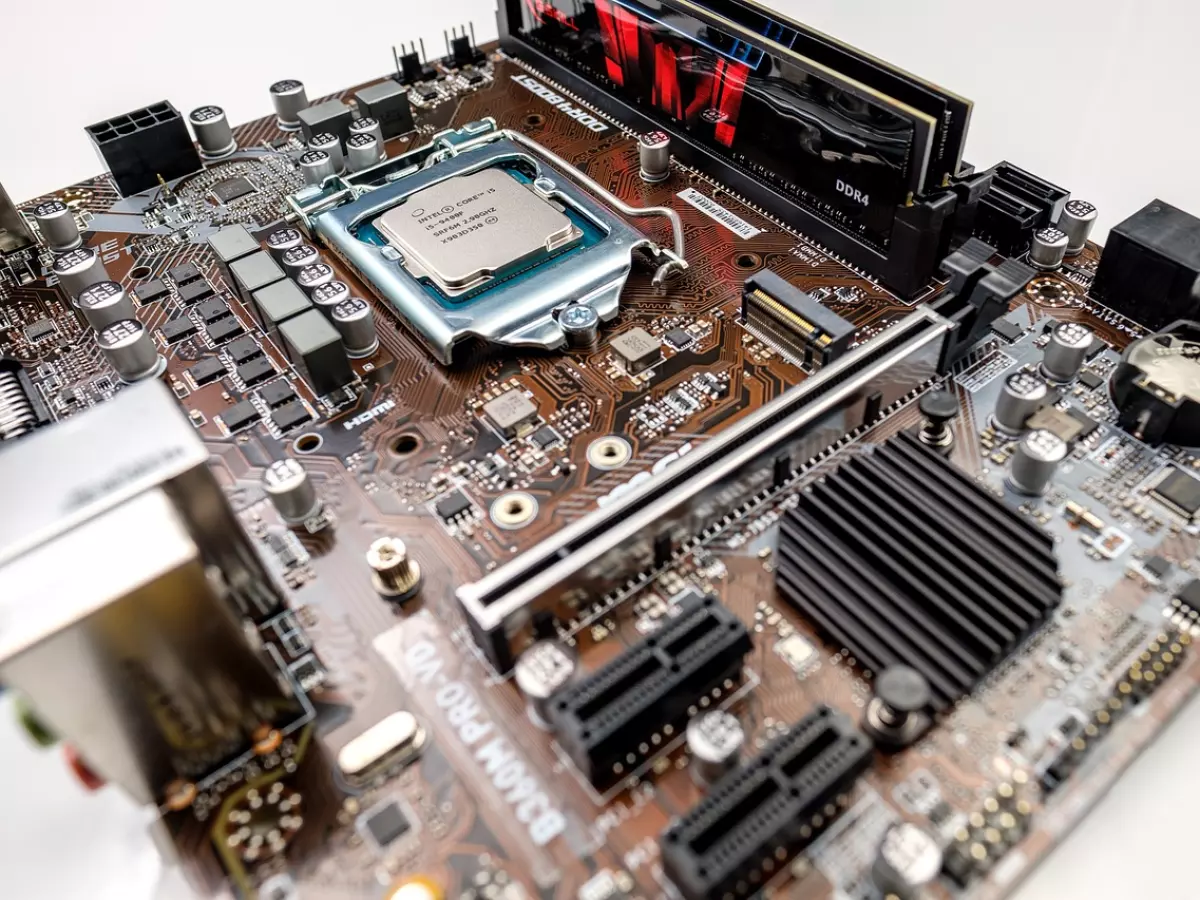
Cache memory is a type of high-speed memory located directly on or near the CPU. It stores frequently accessed data and instructions, allowing the processor to retrieve this information much faster than if it had to access the main system memory (RAM). But why should you care about this seemingly hidden part of your PC? Well, because cache memory can significantly impact your PC's speed and overall performance.
What Exactly Is Cache Memory?
Cache memory is like your PC's personal assistant, always ready with the information the CPU needs most. It bridges the gap between the blazing-fast CPU and the comparatively slower RAM. Think of it as a middleman, but one that actually speeds things up instead of slowing them down. The CPU checks the cache first before going to the RAM, and if the data is there, it’s called a 'cache hit.' If it’s not, the CPU has to go on a wild goose chase to find it in the slower RAM, resulting in a 'cache miss.'
There are different levels of cache memory, typically labeled L1, L2, and L3. L1 is the smallest but fastest, located directly on the CPU core. L2 is larger but a bit slower, and L3 is even larger and slower but still way faster than your system RAM. The more cache your CPU has, the more data it can store for quick access, which means fewer trips to the slower RAM and faster overall performance.
How Cache Memory Impacts Performance
So, how does this all translate into real-world performance? Imagine you're playing a game, editing a video, or even just browsing the web. Your CPU is constantly fetching data to perform tasks. If that data is stored in the cache, the CPU can access it almost instantly. This leads to smoother gameplay, faster rendering times, and quicker load times for web pages.
On the flip side, if your CPU has limited cache memory, it will have to rely more on the slower RAM. This can cause noticeable slowdowns, especially when multitasking or running resource-intensive applications. In other words, more cache equals fewer 'cache misses,' which equals faster performance.
Cache Sizes: Does Bigger Always Mean Better?
Now, you might be thinking, 'Why not just stuff as much cache as possible into the CPU?' Well, it’s not that simple. Cache memory is expensive to produce, and it takes up valuable space on the CPU die. That’s why manufacturers have to strike a balance between cache size, cost, and physical space. However, for most users, a CPU with a larger cache can offer noticeable performance improvements, especially in tasks like gaming, video editing, and 3D rendering.
But don’t get too caught up in the numbers. While more cache can be beneficial, it’s not the only factor that determines your PC’s performance. Other components like the CPU’s clock speed, core count, and architecture also play a significant role. Still, if you’re looking to build or upgrade a PC, opting for a CPU with a larger cache can give you that extra edge in performance.
Cache Memory in Gaming
Gamers, listen up! Cache memory can be a game-changer—literally. Modern games are incredibly complex, with tons of data being processed at any given moment. A CPU with a larger cache can store more of this data, reducing the need to access the slower RAM and resulting in smoother gameplay and faster load times. This is especially true for open-world games, where the CPU has to constantly load new environments and assets.
But it’s not just about gaming. If you’re into video editing, 3D rendering, or any other CPU-intensive tasks, a larger cache can help speed up your workflow. So, whether you’re fragging enemies in your favorite FPS or rendering a 4K video, cache memory can make a noticeable difference in performance.
What’s Next for Cache Memory?
As CPUs continue to evolve, so does cache memory. We’re already seeing CPUs with larger and more efficient caches, and this trend is likely to continue. In fact, some manufacturers are experimenting with new types of cache memory that could further reduce latency and improve performance.
In the future, we might see CPUs with even more levels of cache or entirely new architectures designed to make cache memory even more efficient. One thing’s for sure: cache memory will continue to play a crucial role in the ongoing quest for faster, more powerful PCs.
So, the next time you’re shopping for a new CPU or building a PC, don’t overlook the importance of cache memory. It might just be the secret ingredient to unlocking faster, smoother performance.